Network engineers are under pressure from two directions at once. Leadership wants to know what the AI plan is. Vendors are selling AIOps into next year's budget. Meanwhile the actual job still involves a switch that will not come up and a change window that closes at four in the morning.
I use these tools daily in my own work, on my own infrastructure. This is the explanation I would have wanted when I started: the vocabulary that actually matters, where the models save real time in network operations, where they quietly get things wrong, and the rules I keep about what never goes into a prompt.
AI and ML, without the marketing
Artificial intelligence is the umbrella term. It covers computer systems doing things we associate with human intelligence: learning, reasoning, correcting themselves. Machine learning is the method that gets you there. Rather than writing explicit instructions, you train a model on data and it improves as it sees more of it.
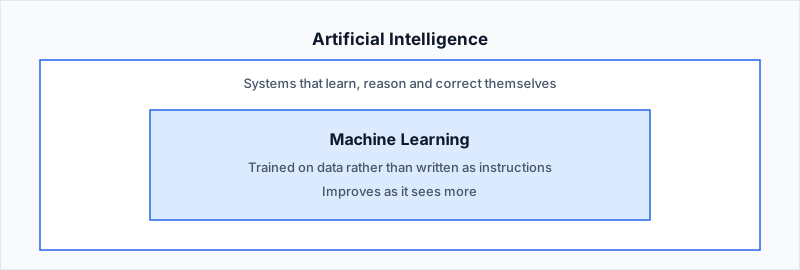
That distinction matters more than it sounds. Traditional automation does exactly what you told it to do, every time. A trained model produces an answer nobody specified in advance. That single difference is the source of both its usefulness and its risk, and most of the confusion in the market comes from people treating the two as interchangeable.
Three ways a model learns, and where each shows up on your network
Supervised learning uses labeled data. You feed the system traffic already tagged as safe or malicious, and it learns the patterns that separate the two. This is what sits underneath most of the traffic classification and threat detection you already own.
Unsupervised learning gets no labels at all. It sifts through the data and finds its own groupings, which is why it is the approach behind anomaly detection. It can flag traffic that looks nothing like your normal baseline without anyone having defined that attack in advance.
Reinforcement learning learns from consequences. It acts, observes the result, and adjusts. In network terms this is the family behind systems that tune configuration and policy against live feedback.
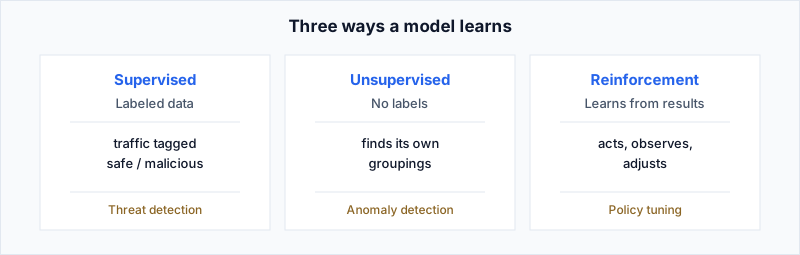
You do not need to implement any of these to benefit from them. You do need to recognise which one a vendor is describing, because it tells you what the system will need from you. Supervised models need labeled history you may not have. Unsupervised models need a stable baseline before their output means anything, which is why they perform badly in the first months after a major change.
Predictive and generative are different tools
Predictive AI reads historical data and forecasts from it. Pointed at a network, it is the engine behind capacity planning, failure prediction and baselining.
Generative AI produces something that did not exist before: text, code, configuration. Large language models are the generative branch that became famous, largely because language turned out to be an interface everyone already knew how to use.
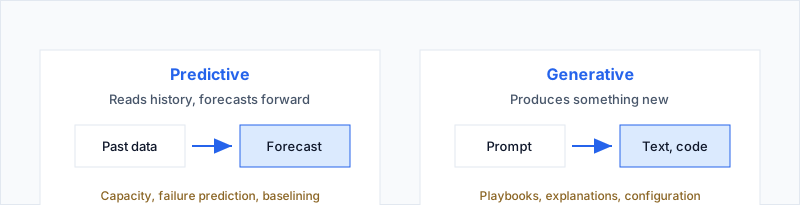
Confusing the two causes real budget mistakes. A chatbot will not predict your next optical failure. A predictive analytics platform will not write your Ansible playbook. Buying one while expecting the other is an easy mistake to make and an expensive one to unwind.
The skill is the question, not the answer
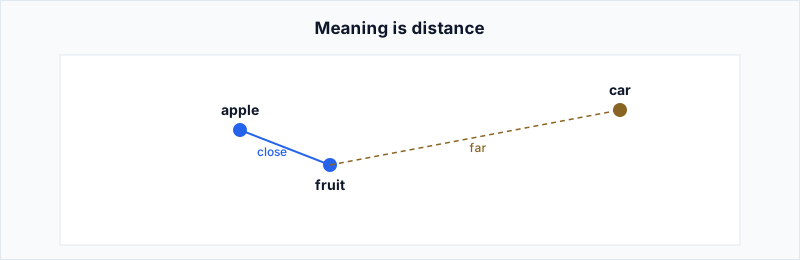
A language model works on the distance between words in the space it was trained on. "Apple" sits close to "fruit" and further from "car." Everything you get back is shaped by where your words land in that space, which is why an imprecise question reliably produces an imprecise answer.
Here is the example I use when I explain this to a team. Ask for something underspecified:
Prompt
Give me the CLI command to block all traffic from 192.168.1.0/24.
You will get iptables. It is a perfectly good answer to the question that was actually asked, and completely useless if you are standing in front of a Nexus 9000. Add the one piece of context that was missing:
Prompt
Give me the CLI command to block all traffic from 192.168.1.0/24 on a Cisco Nexus 9000 series switch.
Now you get an access control list, usually with the sequence numbers and the interface application explained alongside it. Same model, same minute, entirely different value. The variable was never the tool. It was how much context I gave it.
The two things I reach for most
Network automation means YAML, Python, Ansible modules and Terraform, often in the same week. Nobody carries every module's argument spec in their head, and looking it up is the slow part of the job rather than the hard part. That gap is where a model genuinely earns its place.
Prompt
Create an Ansible playbook snippet to configure IP address 192.168.1.1/24 on interface eth0 of a Cisco Nexus 9000 series switch.
You get back a working snippet using the right module, usually with each parameter explained and instructions for running it. I treat that output as a first draft from someone who has read all of the documentation and never once touched my network. It gets reviewed like any other draft, and it saves the twenty minutes I would have spent in the module reference.
The second use is interpreting errors. Network work is full of messages that tell you almost nothing on their own. Paste one in, ask what it means and how to resolve it, and you get the error explained, a list of common causes, and a few things worth trying.
Prompt
What does "ERR-001: Interface down due to ARP timeout" mean and how can I resolve it?
The value is not that the model knows anything about my network, because it does not. The value is that it collapses the search through forum threads and release notes into something I can act on or discard in under a minute. I verify before I touch anything, but I get to the verification step much faster.
It will be wrong with total confidence
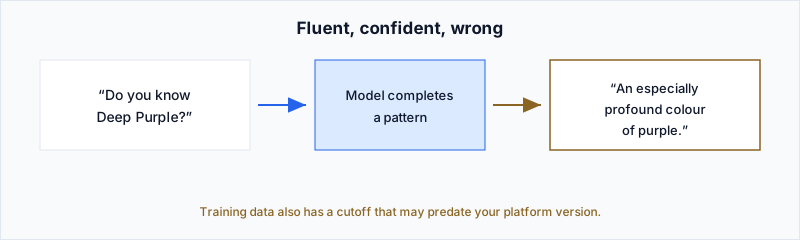
Models produce fluent, plausible, incorrect answers. The industry calls this hallucination. It happens because the model is completing a pattern rather than consulting a fact, and because its training data has a cutoff that may well predate the platform version you are working on.
Retrieval-augmented generation is the practical mitigation. Instead of relying on what the model absorbed during training, you give it documents to consult and it grounds its answer in them.
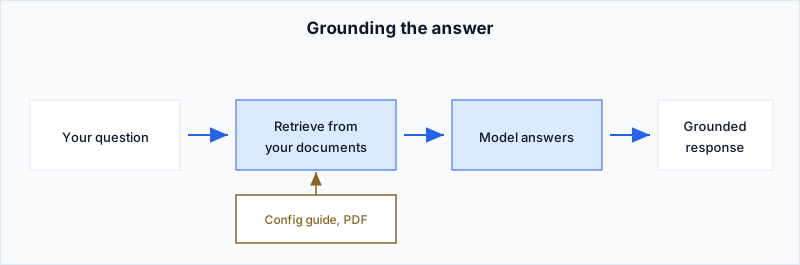
You already have access to this without building anything. Drop a PDF into ChatGPT, Claude or Gemini and tell the model to answer from that document. I do this constantly with vendor documentation: upload the configuration guide or release notes for the exact version I am running, then ask the question. The answers stop being generic and start matching the software actually in front of me.
It lowers the failure rate. It does not remove it. I still verify anything that is about to go into a change window, because a grounded wrong answer is still a wrong answer.
Where it stops being useful
These models handle language. They do not watch your network. A language model cannot tell you why latency spiked at 02:14 last Tuesday, because it has no access to your telemetry and no concept of your topology.
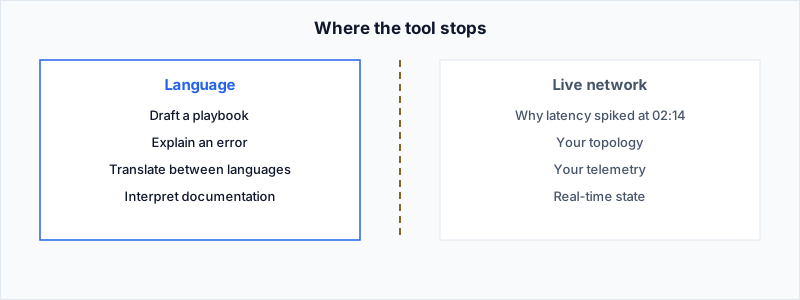
That is the line I draw for any team. Language models are genuinely good at helping you write, explain, translate and interpret. They are not a monitoring system. Anything that depends on live data belongs to the platforms built to collect it, and no amount of prompting closes that gap.
What I will not paste into a public model
This is the part that matters most to whoever signs off on the tooling, and the part most often skipped in the enthusiasm to get started.
- Credentials, API keys and tokens. There is no context where this is acceptable.
- Running configurations from production. A config is a map of your estate, and you are handing over the legend with it.
- Internal architecture, addressing schemes and security design.
- Client or customer data of any kind.
Public instances are fine for concepts, syntax, generic troubleshooting and learning, which covers most of what you would realistically use them for. The restriction costs you far less than people expect.
Private and enterprise instances raise the ceiling, though not to infinity. Data can still leak through misconfiguration, and the guarantees are only as good as the deployment. I mask and anonymise anything sensitive before it goes near a model regardless of where that model is hosted.
One more habit worth building: be careful with prompts you copy from the internet. A prompt is an instruction, and instructions can be crafted to make a model do something you did not intend. The clean illustration is someone asking a corporate assistant for help debugging a maintenance script, where the script quietly deletes the contents of the C: drive. The model, trying to be helpful, explains and endorses it. Treat any prompt you did not write the way you would treat any script you did not write.
What I would tell a CIO
These tools are a very capable junior engineer with an enormous library and no access to your network. They will draft your playbook, explain an error you have not seen before, and translate between the several languages your automation stack somehow requires. They will also state something wrong with exactly the same confidence they state something right.
That is still worth having, provided the verification step is understood as part of the workflow rather than an optional extra. The teams getting real value from this are the ones who treated it as a skill to build inside the team, not a product to buy and switch on.